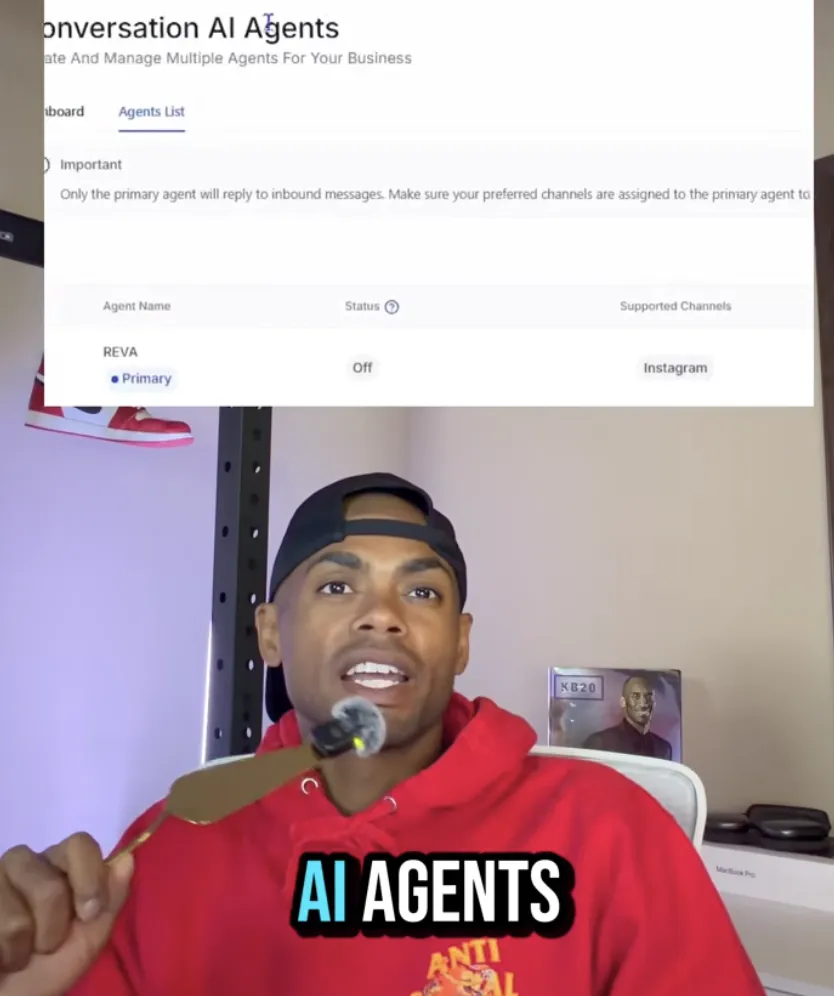
Agent Build Out
What's the Easiest Way to Build a Working AI Agent for Your Business?
If you've watched the AI hype cycle for the last two years and thought "great, but how do I actually get one of these things running in my business," this post is for you.
Most business owners assume building an AI agent means hiring a developer, paying for a custom build, or stitching together five tools that don't talk to each other. None of that is true anymore. The easiest way to build a working AI agent for your business is to use HighLevel AI Studio, describe what you want in plain English, and publish it. That's the whole loop.
Before you start, grab your free HighLevel trial here: francislcampbell.com/ghl
You need an active account to follow along, and the link above gets you the extended trial I use with everyone I onboard. Open it in another tab, get signed up, and meet me back here for the build.
What You're Actually Building
Before the steps, get clear on the outcome. You're building a chat agent that lives on your website, knows your business, and answers customer questions 24/7. It pulls from your existing website content, so it sounds like you. It captures leads while you sleep. It handles the repetitive questions you and your team answer fifty times a week — hours, pricing, services, location, "do you do X."
This is the kind of thing business owners pay agencies $2,000 to $5,000 to set up. You're going to do it in about fifteen minutes inside HighLevel.
Get your trial started: francislcampbell.com/ghl
Step 1: Generate Your Agent's Prompt
The prompt is the agent's job description. It tells the AI who it is, what it knows, and how to behave.
Open ChatGPT or Claude and ask it to write the prompt for you. Use a request like this:
"Write me a prompt for an AI agent for [your business name] that can answer questions about our [products/services]. The agent should be friendly, accurate, and capture lead information when appropriate."
You'll get a clean, structured prompt back in seconds. Copy it. Don't overthink it — you can refine it later once you see the agent in action.
Step 2: Create the Agent in HighLevel
Log into your HighLevel account (sign up free at francislcampbell.com/ghl if you haven't yet) and head to AI Agents. Click Create From Prompt.
Name your agent something obvious — "[Your Business] Agent" works fine. Then:
Turn on Autopilot so the agent responds automatically
Save
That's it. The agent now exists. You haven't trained it yet, but the shell is built.
Step 3: Configure the Agent's Brain
Click into your new agent and go to Goals. This is where you tell the agent what model to use and what to do.
Choose GPT-5 as the model. This gives you the most current reasoning power available in the platform. Then paste the prompt you generated in Step 1 into the goal field.
You've now given your agent a job and a brain. Time to teach it about your business.
Step 4: Train the Agent on Your Website
Find the Agent Training field and drop in your business's website URL.
This is the move that makes everything work. The agent crawls your site and learns your hours, your services, your pricing, your team, your policies — everything you've already written. You don't need to manually upload a knowledge base or write FAQ documents. Your website is the knowledge base.
The training takes a couple of minutes. When it's done, your agent knows your business as well as your website does.
Step 5: Test in the Sandbox
Before you put this on your live website, you want to make sure it actually works.
Go to Web Chat and choose All-In-One. This creates a live sandbox where you can talk to your agent the same way a customer would.
Test it like a skeptical customer:
Ask about hours
Ask for pricing on something specific
Ask a weird edge-case question
Try to confuse it with vague phrasing
If the answers are good, you're done. If something's off, go back and tweak your prompt or add more detail to the training. Iterate until it sounds like you'd want it to sound when a real customer is on the other end.
Step 6: Get the Embed Code
Once you're happy with how your agent talks, hit Get Code.
HighLevel gives you an embed snippet. Copy it. You're going to put this on your website in the next step — but with one quick conversion in the middle.
Step 7: Convert the Code to JavaScript
Open ChatGPT (or Claude) and paste in the code with this request:
"Please convert this to JavaScript I can paste directly into my website's developer console to install the chat widget."
You'll get back clean JavaScript. Copy it.
This step matters because it lets you install the agent on any website — not just sites built inside HighLevel. Squarespace, WordPress, Shopify, a static site, doesn't matter. JavaScript runs anywhere.
Step 8: Install on Your Website
Go to your website. Press F12 to open developer tools. Paste the JavaScript in and run it.
Your chat widget is live.
Refresh your site and you'll see the chat bubble in the corner. Click it. Ask it a question about your business. It answers — in your voice, with information from your site, available to every visitor who lands on your page.
You just built a working AI agent.
Why This Beats Every Other Option
The old way to do this:
Hire a developer ($2,000–$5,000)
Wait three weeks
Get a clunky chatbot that breaks when customers ask anything unexpected
Pay a monthly fee to keep it running
The HighLevel way (start free at francislcampbell.com/ghl):
Describe what you want in plain English
Hit publish
Done in fifteen minutes for a fraction of the cost
You own it, you control it, you can change it whenever you want
The fundamental shift is that you no longer need technical skill to put production-grade AI into your business. You need a clear sense of what you want the agent to do, and a tool that lets you describe it.
That's it. That's the moat that just disappeared — and HighLevel is the only platform I've found that ships the full stack (CRM, calendars, pipelines, AI agents, web chat) under one roof. That's why my link points there: francislcampbell.com/ghl.
What to Build Next
Once you have one agent running, the question changes from "can I build an AI agent" to "what should I build one for next."
A few high-leverage ideas for your business — all of them work inside the same HighLevel account you just opened:
Lead qualifier on your contact page that pre-screens prospects before they hit your inbox
Booking assistant that handles "what times are available next week" without your front desk getting interrupted
Customer support agent that handles tier-1 questions and only escalates the real issues
Sales agent that walks visitors through your pricing and books a call when they're ready
Each one runs on the same eight-step process you just learned. Build them in the same account at francislcampbell.com/ghl and they all share the same CRM, the same contacts, the same pipeline.
Ready to build yours? Grab your free HighLevel trial at francislcampbell.com/ghl and run through the eight steps above. You'll have a live AI agent on your website before your coffee gets cold.
This is my exact process for building AI agents in my own businesses. If you want the full step-by-step playbook plus my free HighLevel trial link, comment "AI business" on my YouTube channel and I'll send it over.


