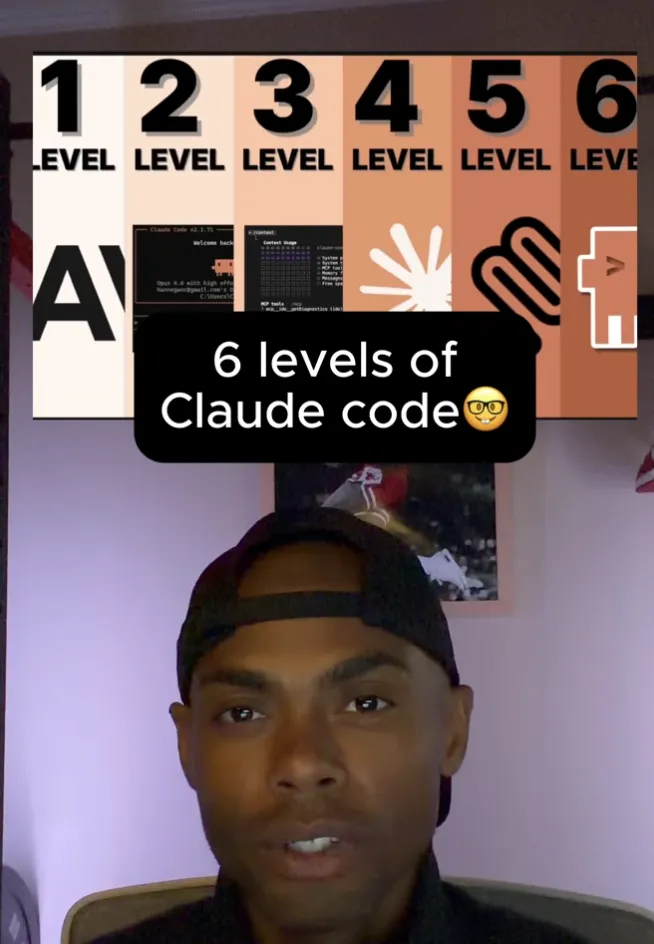
6 levels of claude efficiency
The Six Levels of Claude Code Mastery: Where Are You, and How Do You Level Up?
Most people who pick up Claude Code plateau somewhere in the first week. They get a few wins, hit a wall, and either blame the tool or quietly accept that this is as good as it gets. It isn't.
The difference between someone getting marginal value out of Claude Code and someone running it like a small engineering team isn't talent — it's progression. There are six clear levels of mastery, and each one has a specific skill that unlocks the next. If you don't know which level you're on, you can't see what's blocking you. Here's the full map.
Level 1: The Prompter
This is where everyone starts. You open Claude Code and use it as a blunt instrument. You type what you want. It does something. You either accept the result or argue with it.
There's nothing wrong with starting here — but you can't stay here. At Level 1, Claude Code is a vending machine. You're not collaborating with it, you're not planning with it, and you're definitely not using plan mode.
The skills that unlock Level 2: writing clearer prompts, learning how to evaluate Claude's own prompts, and building basic terminal literacy. You don't need to be a bash wizard, but you need a feel for what's happening under the hood when Claude runs a command. Without that, you're flying blind.
Level 2: The Collaborator
At Level 2, Claude Code stops being a vending machine and starts being a partner. The fastest way to make that shift is plan mode — it forces Claude to ask you questions before writing a single line of code, and it turns the work into an actual back-and-forth.
The other half of Level 2 is on you. You have to take an active role. Ask things like, "What am I missing here?" or "What would you do differently if you were in charge?" If you're non-technical, this is especially critical: you don't know what you don't know, so you have to make Claude surface the gaps for you.
Level 2 is where Claude Code starts feeling like a real teammate instead of a glorified autocomplete.
Level 3: The Context Engineer
The jump to Level 3 happens naturally once you've collaborated enough. You start realizing that what Claude knows is the whole game — and you need to manage that deliberately.
The core skill here is managing the context window. Claude Code can hold up to 200,000 tokens at once, but more isn't better. Performance starts dropping noticeably around the 100K–110K mark. The more tokens you burn on irrelevant stuff, the worse the model performs on what actually matters.
A Level 3 user knows:
Which examples to include in a prompt (and which to leave out)
How to use
CLAUDE.mdto give Claude persistent context about a projectHow to inject the right information at the right time, instead of front-loading everything
This is the level where you stop thinking of Claude as a chatbot and start thinking of it as a system you're configuring.
Level 4: The Tool User
Once you can manage context, you naturally start adding capabilities — MCPs, external tools, custom frameworks. This is where most people turn into a kid in a candy store. They bolt on every MCP they can find, install every extension, and end up with a bloated setup that performs worse than what they had at Level 3.
The skill at Level 4 is being surgical. Adding tools only when they're the right answer.
To be surgical, you need a theoretical grasp of what's happening under the hood. You don't have to write code yourself, but you should understand the conceptual basics — frontend vs. backend, authentication, databases, how data flows through a system. Without that mental model, you can't tell whether a new MCP is actually solving your problem or just creating new ones.
The key insight at Level 4: capability is not performance. Adding the right tools at the right time beats adding everything.
Level 5: Skills and Workflows
Level 5 is where you stop using Claude Code one prompt at a time and start using it the way it was actually designed — through skills and workflows.
Skills are reusable, structured ways of telling Claude how to do something well. A good skill captures hard-earned knowledge — formatting rules, edge cases, the right tools to use — so you don't have to re-explain it every session.
The skill creator (released recently) makes this much easier. It can create custom skills, audit existing ones, run benchmarks, and run tests. For the first time, you get actual data telling you whether your skill is working and whether it's the most optimal path forward. That's a huge leap. Before this, building skills was guesswork — now you can measure.
Level 5 is when your setup starts compounding. Every skill you build makes the next task faster.
Level 6: The Manager
At Level 6, you stop being a user of Claude Code and become a manager of it.
You're running multiple sessions in parallel. You use git worktrees so different sessions can work on different branches without stepping on each other. You experiment with agent teams — multiple Claude instances coordinating on a single problem.
The mental shift here is the biggest one in the whole progression: you're no longer deciding how the work gets done. You're deciding what gets done and by whom. You're delegating, reviewing, and orchestrating.
Level 6 is the fully actualized version. It takes everything you built up at Levels 1–5 — prompting, collaboration, context management, surgical tool use, skills — and scales it across multiple workstreams at once. This is where small teams start punching massively above their weight, and where solo builders start shipping like a five-person company.
Where are you, and what's next?
Be honest about your current level. Most people overestimate it.
If you're still showing up to Claude Code and just typing what you want, you're Level 1 — and the upgrade to Level 2 is one keyboard shortcut (plan mode) away. If you're collaborating well but Claude keeps "forgetting" things, you're stuck at Level 2 and need to learn context engineering. If you've got a sprawling MCP setup that feels slow, you skipped Level 3 and need to back up.
The levels aren't a ladder you race up — they're a diagnostic. Find the one blocking you, develop the skill that unlocks the next, and don't try to skip ahead. The people getting the most out of Claude Code aren't the ones with the fanciest setups. They're the ones who climbed the levels in order.


